What it does

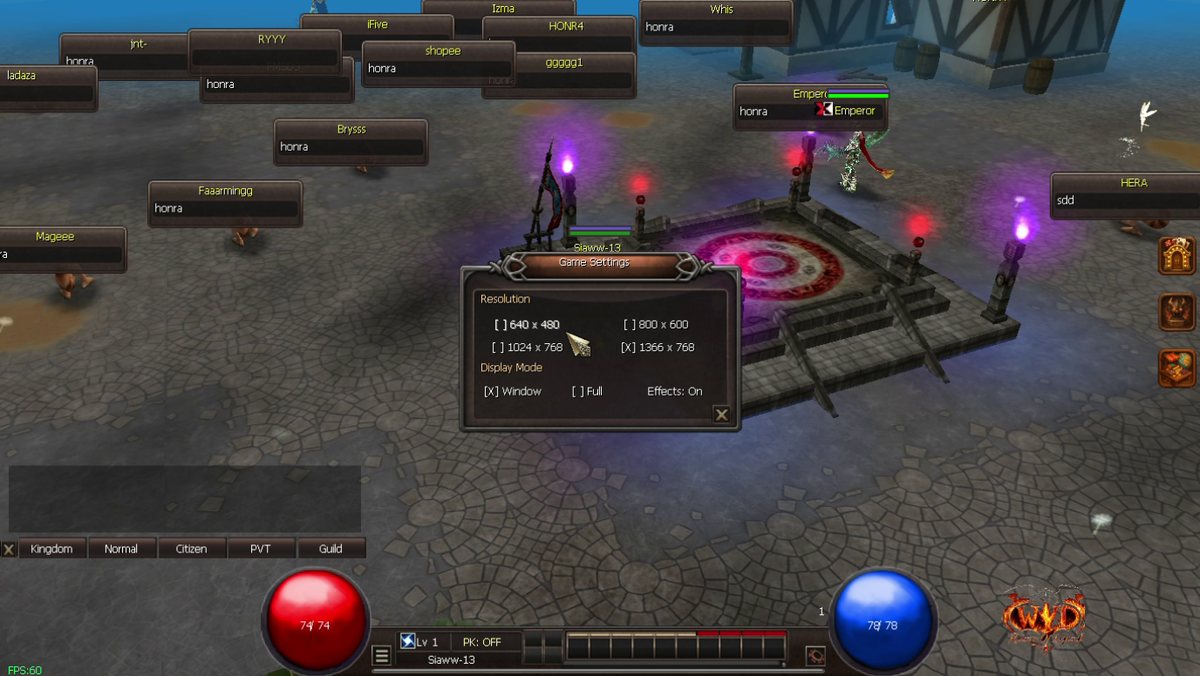
The game has its own Settings window. Change the window size and turn effects on or off while you play. No need to close the game.
Step 1: Open Settings
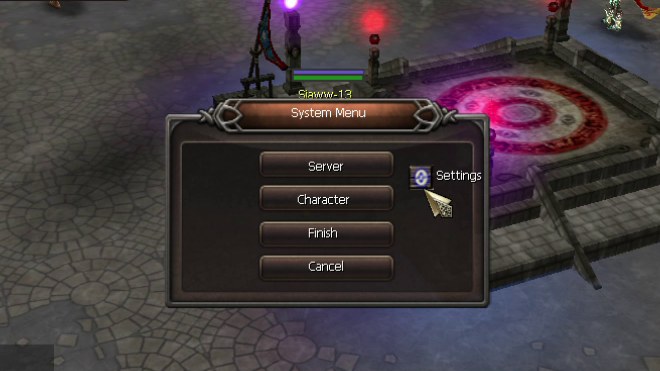
Press ESC. The System Menu opens. Click Settings on the right.
Step 2: Choose your settings
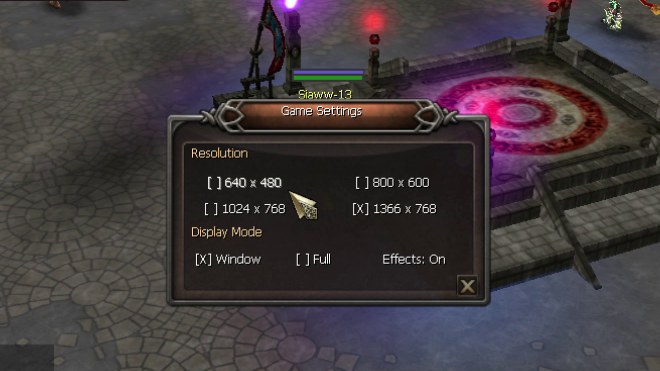
- Resolution: 640 x 480, 800 x 600, 1024 x 768 or 1366 x 768.
- Display Mode: Window or Full.
- Effects: click to switch between On and Off.
- Click the X at the bottom right to close the window.
Effects On or Off
With effects Off the game hides the glow and fire effects. Use it on a slow computer or in a crowded town to get more FPS.
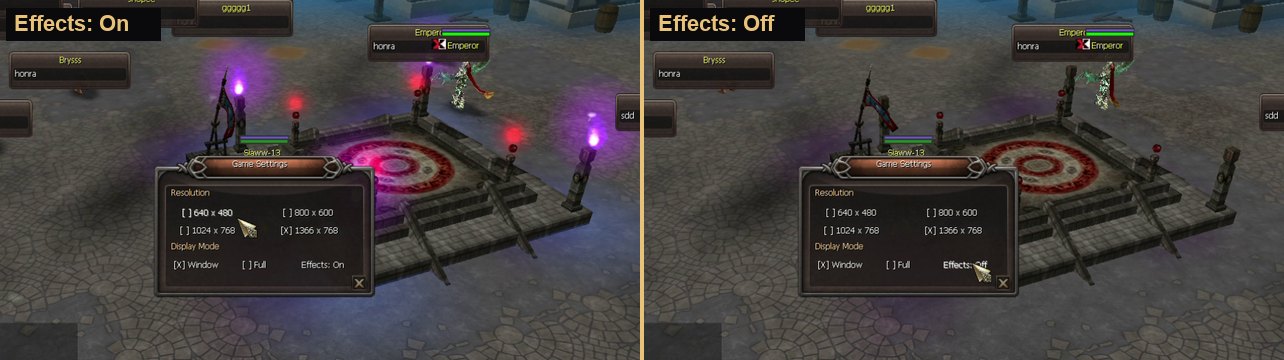
Moving clip